First off, the Ryman. Whoa. What a venue. I don’t think I’ve ever been in a comparable space for hearing live music. Not just how my history is there but the sound quality was astounding.
We lucked into Nelson playing at the Ryman while we were in town. He had an opener, Meg McCree. She had some novel chord progressions in her songs but none of her songs are stuck in my head.
Nelson, on the other hand, does have a gift for the ear-worm. I was immediately excited for the band to go one when I saw the stack of Magnatone amps behind his humbuckered Tele. To me that combo is a bit like putting a lift and 4-wheel drive on a sports car, but it works. All that tube distortion with a humbucker pickup is like the opposite end of the spectrum from how I typically imagine or use a tele, but he worked that sound so well. Partly it was the venue but the guitar tone was exceptional even if his chops were a bit on the safe side.
His bass player, Corey McCorkmick stole the show though. Dude brought such energy and pocket and good vibes to the stage, you almost couldn’t wait to see what his next move was or what bass he’d pick up next from his collection of crazy axes.
Nelson rotated between his tele, a 335 and a very interesting Les Paul Jr. The magnatone’s gave all a very similar sound but Nelson clearly had a differently level of dexterity on each axe and really was able to stretch out a bit more on the Les Paul.
It’s not just the history and sound of the Ryman that made the show super but the audience was also a major factor. Similar to the audience at bluegrass shows that are knowledgeable, know the history, know how to listen, etc. the audience at the Ryman seemed more sophisticated than most. At one point, Nelson led the crowd in a sing a long to Roger Miller’s King of the Road and most of the audience know most of the words which was pretty cool.
As for ear worms, Forget about Georgia was memorable, for sure, especially the piano intro. Piano sounded amazing in the Ryman. The low end was SOOO powerful but still almost clear.
He then brought out Meg McCree and two other female vocalist to assist on Find Yourself which really got the crowd up. The whole special guest thing was weird in part because a couple of blocks away the CMA’s were being held and you get the sense that anyone who’s anyone was there, not at the Ryman.
The band did a few encores stretching out the energy level by playing a couple of slow/acoustic pieces between he encores.
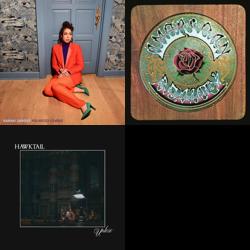
Here are some of the Albums I’m currently checking out. Most of the New Releases have been added to my “New Releases to Check Out” playlist through the Music Harbor application as noted in my On Listening post.
Blues From the Rainforest by Merl Saunders – found this CD when going through an old stack, so ripped it. Forgot how cool Jerry’s tone was on the first track. Rest is a little woo woo.
Clinch Mountain Country [Disc 1] by Ralph Stanley & Friends
Clinch Mountain Country [Disc 2] by Ralph Stanley
Garcia Grisman (Alternate Version) by Jerry Garcia & David Grisman* – New Release –The version of Russian Lullaby on this (one of JG’s favorite tunes to play) features much more interesting playing by both than on the original release.
More Than A Whisper: Celebrating The Music Of Nanci Griffith by Various Artists* – New Release –Molly Tuttle and Billy Strings sound fantastic though the entire album is really beautiful.
Let’s start by agreeing that there is so much great music out there—old and new—that it’s not possible to listen to all of it. Today, discovering new music now can feel like drinking from an algorithm-fueled firehose, but I can remember before the internet came around where all we had were music magazines, really good DJs (I was so lucky to grow up with WHTG) and our friend’s older siblings to help us discover new music.
The room where it happens.
Fast forward to the algorithms. For several years, I was drinking through Spotify’s Discovery playlist. It seemed to have an uncanny ability to surface new artists that interested me. My music library exploded, though I admittedly purchased very few new albums (CDs or downloads) as a result of those discoveries. In hindsight, I don’t feel much of a connection to many of the new artists I learned of through Spotify’s Discovery feature.
In recent years, I’ve been relying on several non-algorithmic sources for new music. Here are a few of the ways I’ve been finding new stuff to listen to, post-algorithm. Some of these are pretty genre-specific so they may not be generalizable.
Live Shows
The stage shows and program guides of the several bluegrass festivals I attended every year. A large part of the new music in my library that I’ve purchased is there because I’ve seen the artists first hand and experienced varying degrees of having my mind blown. The connection I feel to these artists is pretty damn strong, mostly because bluegrass festival performances can be really intimate and the artists are so approachable. Some examples here would be: Molly Tuttle, Bryan Sutton and, most recently AJ Lee & Blue Summit (w/ Molly’s brother on guitar).
Print
This is admittedly a bit old school, but after festivals, another rich source of new listening for me has been No Depression magazine. Margo Price would be a good example of someone I might not have been aware of were it not for No Depression.
Radio
I’m lucky to have a good public radio station (WBJB) local to me with some excellent DJs. I also use an app called Triode to listen to a few radio stations online: WFMU, WAMU’s bluegrass station and The Current from Minnesota Public Radio have all turned me on to interesting new artists. (Also, The Bakersfield Beat channel on SiriusXM can be pure gold when it comes to surfacing older country artists not on my radar.) There’s something to be said about the idea of radio’s “heavy rotation.” The music I discovered through the algorithms was almost always appealing on the first listen. Some cuts though, they require that a DJ force down your ears a few times before you realize, oh, this is killer. I get it. Those multiple listens make me feel a bit more connected than the dopamine-targeted algorithm.
LastFM
This is probably the closest I come to using an algorithm to find new music. I have an iOS shortcut that makes me a playlist of songs that my two “closest” LastFM neighbors have had in heavy rotation in their listening. This feels a little algorithmic but the fact that my LastFM neighbors are hopefully picking these songs themselves, then, well that’s pretty good with me.
Other musicians
In addition to all of the above, I’m fortunate to have a rich circle of other musicians that I play with on a regular basis. We are always turning each other on to new stuff. I don’t think I would be nearly as deep in to the Stanley Brothers if it weren’t for a couple of mandolin players I’m lucky enough to play with.
This is not to say I don’t use technology to help here. In addition to Triode (though one could just use a web browser to stream), two other applications factor heavily in to my discovery:
Marvis. This app just provides an overlay to my Apple Music library but allows me to view artists, albums and songs in a way that’s almost impossible with Apple Music alone. When I open Marvis, it always presents me with a live Grateful Dead show that I either haven’t listened to or haven’t listened to in a long time. Then it surfaces albums and artists that I’ve been ignoring, etc. The whole “repeated listening/heavy rotation” is facilitated by Marvis. If you’re on iOS, buy the app, visit the Marvis subreddit and enjoy your library in a whole new way.
Music Harbor.This sleeper app also factors heavily in to my listening. The app combs your library and your last.fm history for artists you listen to and then tracks new releases. This sounds trivial, but between how granularly the app can be configured and how easy it is to add new releases to a playlist (e.g New Releases to Check Out) this has been a great resource for me.
How I’m listening.
All that being said, over the past year I’ve started self-hosting a Lossless music streaming server called Navidrome that allows me to AirPlay my library throughout the house. This has totally changed how I’m listening to my library. I’ve been re-ripping any CDs that I had not originally ripped in a Lossless format, making sure my cover art is good, etc. I have about 100 of my most-listened to CDs in my Navidrome library. This music feels like my music in a way that the music in my Apple Library just doesn’t. The covers are all familiar to me—they’re the covers of the CDs that have followed me from city to city, apartments to home, etc.
Finally, I have a large collection of Hunter’s Trix Matrix recordings (this is some nerdy deadhead stuff, so if you don’t know, don’t worry!) on the Navidrome server. Being able to stream FLAC on my home network was the initial reason why I started running Navidrome to begin with. Over the past year, I have been honing a Python script to help me manage downloading, applying metadata and covers, etc. to the matrix recordings. It’s difficult to not become obsessive about live Dead shows so I make sure to keep the shows I have in some kind of rotation before downloading more shows.
So that’s the current state of discovery and listening as we get ready to turn the corner into 2024. I love this stuff would love to hear from other folks about how they’re doing the same.
After doing an export of my Netflix viewing history, I wanted to import it into Letterboxd. The date format in the Netflix export doesn’t work with Letterboxd, which wants the data as ‘YYYY-MM-DD’ so I wrote up a little python script to do the date conversion because knowing when I watched something is pretty useful.
I had about 1,100 entries in my Netflix history file, Letterboxd identified 432 movies. It did not recognize any of the TV/serial programs (e.g I Think You Should Leave, etc.) Not sure why. May dig into that a bit later.
Open the Profile & Parental Controlssettings for the profile you want to see.
Open Viewing activity.
If you see a limited list, use the Show More button.
To download a list into a spreadsheet, select Download all at the bottom of the page. The downloaded file can be opened using any spreadsheet software that supports the CSV file format.
import pandas as pd
from datetime import datetime
import sys

if len(sys.argv) < 2:
    print("Usage: python script.py input_file.csv")
    sys.exit(1)

input_file = sys.argv[1]
output_file = 'letterbox.csv'

# Read the CSV file
df = pd.read_csv(input_file)

# Assuming the date column is named 'Date'. Change this to your actual column name
date_column = 'Date'
if date_column not in df.columns:
    print(f"The specified date column '{date_column}' does not exist in the input file.")
    sys.exit(1)

# Convert the date format
df[date_column] = pd.to_datetime(df[date_column], format='%m/%d/%y').dt.strftime('%Y-%m-%d')

# Write the updated data to a new CSV file
df.to_csv(output_file, index=False)

print(f"Date conversion complete. Output written to {output_file}")
Enjoyed the sci-if/crime drama/mystery combo here. Terrific job weaving the various timelines together. Compelling and engaging enough that we watched all 8 episodes over 4 nights and couldn’t wait to see how it ended. Every night we turned to each other to say how much we hoped the ending would hold together and it did, sort of.
Without giving any spoilers, the slightly dissapointing element here was the “bootstrapping” paradox. Meaning, when did the loop with Elias/Harker first start. I understand that asking where the loop begins is like asking: what came first, the chicken or the egg? But still, the fact that it wasn’t addressed at all felt slightly unresolved.
The sub-plot of persecuted or shunned people as sources of loving-kindness in the world provided good symmetry across the time periods.
Following several weeks of digital housekeeping, I’m determined to do a better job about being consistent about where I’m storing links, online articles, resources and various “read later” type stuff.
My tools of choice are Readwise Reader and Shaarli. I’ve been pretty lax about what goes where so I spent some time thinking about how I should be leveraging these two tools.
Strengths and Weaknesses
Shaarli:
Description – The personal, minimalist, super fast, database-free, bookmarking service. Do you want to share the links you discover? Shaarli is a minimalist link sharing service that you can install on your own server. It is designed to be personal (single-user), fast and handy.
Strengths:
Preservation of the original source.
Archiving capability with tools like the Wayback Machine.
Easy to surface old links.
Quick bookmarking for future reference.
Weaknesses:
Less interactive than Reader.
No native feature for highlighting or making notes.
Reader:
Description: Readwise Reader is the first read-it-later app built specifically for power readers. If you’ve ever used Instapaper or Pocket, Reader is like those except it’s built for 2023 and brings all your reading into one place including: web articles, email newsletters, RSS feeds, Twitter threads, PDFs, EPUBs and more.
Strengths:
Active engagement with content through reading, highlighting, and making notes.
Email feature to reinforce and recall highlighted content.
Distraction-free reading experience.
Weaknesses:
Doesn’t preserve the original source, only a text extract.
Harder to surface old articles compared to highlights and notes.
Decision Flow:
Is the content something you want to actively engage with now or in the near future?
Yes: Go to Reader.
No: Go to Shaarli.
Do you want to be reminded of the content through highlights and notes?
Yes: Store, read and highlight in Reader.
No: If it’s just a reference or something to check out later, store in Shaarli.
Is preserving the original source important?
Yes: Store in Shaarli.
No or it’s not a priority: Consider Reader.
Does the content align with your personal taxonomy?
If it’s a deeper, personal topic: Consider Reader.
If it’s a quick reference or informational topic: Consider Shaarli.
Use Cases based on my own Personal Taxonomy
Taxonomy
Reader
Shaarli
Areas
👨👩👧👦 Family
Deep engagement topics like family events, memories.
Quick references related to family events or gatherings.
🏡 Home
Home maintenance tips, furniture wishlists.
Mortgage documents, home insurance, renovation ideas.
🏦 Finance & Records
Budgeting insights, financial goals.
Bank statements, investment records, tax documents.
🏋️ Health & Fitness
Workout routines, diet plans, health articles.
Medical reports, fitness program videos, gym memberships.
🎵 Music
Song recommendations, concert experiences.
Music files, concert tickets, album releases.
🧠 Personal Development
In-depth articles, book summaries, learning goals.
This export/import process requires bouncing back and forth between the Desktop and iOS versions of Day One as the import/export feature set is very different for each version and you’ll need to leverage both feature sets.
From Desktop Mac:
1.) Open up your Sql client of choice and connect to your WordPress database.
2.) Run this SQL query:
SELECT DATE_FORMAT(post_date, '%Y-%m-%dT%TZ') as 'date', post_content as 'text' FROM wp_9872342423posts where (post_content != '' or post_content is not null);
3.) Open file in a text editor and massage the resulting date to meet the Day One spec (here’s the Day One sample data):
SQL Result: 2023-09-24T13:49:47Z, Day One: 2016-07-23T22:06:56.000Z,
This date formatting could probably be done in SQL but I got impatient with the syntax.
I did a search and replace ‘Z,’ for ‘.000Z,’
Optionally get rid of html comments, regex for comments is: <!–(.*?)–>
4.) Save this resulting file with a .csv extension somewhere accessible in iCloud
From iPad: 5.) Open iOS version of Day One 6.) Import CSV file (you can’t do this on Desktop version)
Day One will automatically create a new Journal for this import. This behavior is unique to the iOS version! This will just be a temporary journal as you’re going to export, massage and re-import on your Mac.
There may be a bunch of ugly HTML in your entries that you will want to convert to Markdown. The tool that I use for this conversion is Pandoc and as far as I can tell, it is only available from the command line on my Mac so I:
7.) Export a plain text file from Day One on iOS 8.) Save this to iCloud so you can access it from your Desktop
From Desktop:
9.) Fire up a terminal and use Pandoc to fix the html->markdown
cat wp_jw_journal.txt |pandoc -f html -t markdown -o journal.md
My resulting file had a lot of escaped single-ticks so I…
10.) Open up the file in a text editor and replaced the \’ with ‘ in this resulting file.
Also, the Day One export does some line breaking that you may or may not want to correct.
11.) Give the resulting file a .txt ending
THIS IS SO Important: if you don’t want these imported entries to be mixed in with your primary journal, create a NEW JOURNAL and then move it to the top of the journal entries list in the Desktop version settings. Unlike the iOS version of day one, the desktop will not create a new journal for you! Ask me how I know!!
12.) Import the resulting file into the Desktop version of Day One
I have been deep in the terminal these past few weeks whenever I get a moment or two of free time. We have had a lot of rain recently, resulting in way more free time than usual. This allowed me to sort out a bunch of issues on my new $5/month linode.
I didn’t love Ghost too much so went back to WordPress. Since I’d already had Ghost working with Nginx, I figured I’d use it with wordpress as well instead of my usual Apache.
All went pretty well and smooth once I finally got php to work for me. Yowza. But then I noticed that search wasn’t working on my site. I went crazy for a while trying out different theme, digging into wordpress trying to understand the query loop. Nothing.
But, In troubleshooting I realized that no URL-passed arguments (e.g. ?s=searchterm) were being handled by php. This was new terrain for me! Once I realized this was the issue though, I knew it must have been related to Nginx. Sure enough adding:
try_files $uri $uri/ /index.php$is_args$args;
to my server config file, voila! That was pretty satisfying.
Once I had search working, I tried the newly-released ActivityPub plugin for WordPress. A bit of futzing and now my posts can be followed in the fediverse at: sjwillis@www.jimwillis.org from your Mastodon server. Super cool. I’d love to get posts@www.jimwillis.org working so that all posts could be followed but I can’t quite get that dialed in.
Anyway, rainy days and terminal windows seem to go hand in hand.
Also, really, really enjoying Terminus on my iPad.
The jams at this year’s Del Valley were really excellent. A lot of great players jamming til 1 or 2am. Loved it. The lineup with good too, AJ Lee and Blue Summitwere a highlight, espescialy the two guitarist for the band (Scot Gates and Sully Tuttle).
Especially cool though was this guy up the hill from us who was using the festival as an opportunity to distribute his record collection to willing recipients. I have been on a real Rounder Records kick this year after doing a deep dive on Rounder 0044. If you have any interest in bluegrass or Tony Rice or some of the best musicians to ever record together on a desert island album, you’ll want to read up on that record.
Anyway, this cat up the hill had a few older Rounder Records on vinyl. He had a story for each one and gave me the records. The vinyl is in great shape and I’m listening to them this morning. Such great recordings.
It also makes me realize that when I decide to finally part with my record collection, I will definitely bring it with me to a bluegrass festival to distribute. I don’t think there’s a more passionate, thoughtful or knowledgable audience of listeners (of all genres of music) than the folks who tend to frequent bluegrass festivals.
Spent some of my vacation time fiddling with the backend tech that I use to organize the digital bits of my life (the foundation of my personal technology stackas it were).
Resized my $10/month Linode down to a $5/month instance.
Migrated my personal website from WordPress to Ghost because staying on top of the WordPress upgrades was tedious and I wanted to try something different. In fact, most of this maintenance was precipitated by my son’s WordPress instance getting hacked on my Linode on account of running old wordpress plugins, forcing me to do all sorts of restoration and reconsidering.
Moved my bookmark manager (Shaarli) from my old host to my new server.
Moved from Apache to Nginx.
Got Navidrome up and running on a headless NUC. This, I’ll note got really complicated as I could not for the life of me get my external USB SSD drive to mount in anything but read-only mode which meant I couldn’t add any new FLAC Matrix recordings to it. I finally gave up, reformatted to EXT4 and restored a backup of all my media files to the (now-writeable) USB drive. What a hassle. Everything I remember not liking about futzing with Linux. But now that it’s done, I’ll forget about the frustration until next time.
Modified a Python script to apply metadata to Hunter’s Trix FLACs and copy them over to my external drive. This was a fun programming project. It’s been so long since I focused on solving a problem using Python. I wish I could say the syntax came back to me easily but that’s what google is for. Though it now occurs to me that as I try to add some new features to the the script I may try ChatGPT as a helper. I will clean this script up and share it once I get it dialed in.
Who profits from our constant state of dissatisfaction? The answer, of course, is painfully obvious. Every industry that sells a solution to a problem you […]
. The EU invokes a mechanism called the precautionary principle in cases where an innovation, such as GMOs, has not yet been sufficiently researched for […]
The real problem, in my mind, isn’t in the nature of this particular Venture-Capital operation. Because the whole raison-d’etre of Venture Capital is to make […]
Saved Links
RSS Error: A feed could not be found at `https://links.jimwillis.org/feed/atom?`; the status code is `404` and content-type is `text/html; charset=utf-8`